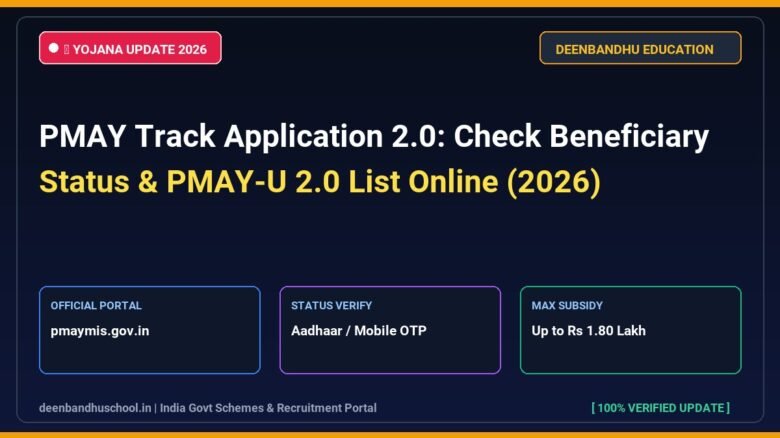
The Government of India has officially expanded the flagship Pradhan Mantri Awas Yojana Urban 2.0 (PMAY-U 2.0), approving the construction of an additional 1 crore affordable houses with a total central budgetary support of over ₹10 Lakh Crore. If you have submitted your application for housing assistance or an interest subsidy under PMAY 2.0, you can now easily complete your PMAY track application 2.0 online to check your real-time approval stage, geo-tagging status, and subsidy disbursement status from the comfort of your home.
| Feature / Field | Official Portal Details (PMAY 2.0) |
|---|---|
| Scheme Name | Pradhan Mantri Awas Yojana – Urban 2.0 (PMAY-U 2.0) |
| Implementing Ministry | Ministry of Housing and Urban Affairs (MoHUA), Govt of India |
| Key Service | Track Application Status & Search Beneficiary Name |
| Official Portals | pmay-urban.gov.in & pmaymis.gov.in |
| Search Methods Available | By Assessment ID, Aadhaar Number, or Mobile Number + OTP |
| Maximum Interest Subsidy | Up to ₹1.80 Lakh (credited across 5-year installments) |
| National Toll-Free Helplines | 1800-11-3377 / 1800-11-3388 / 1800-11-6163 |
What is PMAY-U 2.0 and Who is Eligible?
Under PMAY-U 2.0, the central government has broadened income criteria to accommodate a wider segment of middle-class and low-income urban families. Financial support is provided under four distinct verticals:
- Beneficiary-Led Construction (BLC): Direct financial grant up to ₹2.5 Lakh per unit for families owning land but lacking funds to construct a pukka house.
- Interest Subsidy Scheme (ISS): Home loan interest subsidy of 4.0% per annum on loans up to ₹25 Lakhs (up to ₹1.80 Lakh direct benefit) for EWS, LIG, and Middle-Income Group (MIG) households.
- Affordable Housing in Partnership (AHP): Government-subsidized apartments constructed in public-private partnership models.
- Affordable Rental Housing (ARH): Rental housing complexes for urban migrants and industrial workers.
Step-by-Step Guide: PMAY Track Application 2.0 by Assessment ID
If you already possess the unique Assessment ID / Application Number provided during your initial online registration or municipal survey, follow these simple steps:
- Visit the official PMAY Management Information System portal at pmaymis.gov.in.
- On the top navigation bar, click on the “Citizen Assessment” dropdown menu.
- Click on “Track Your Assessment Status”.
- You will be presented with two search radio buttons: select “By Assessment ID”.
- Type your registered Assessment ID and your Registered Mobile Number.
- Click on the “Submit” button.
- Your comprehensive application dossier will load on the screen, showing the exact date of submission, municipal verification status, geo-tagging report, and sanction status.
How to Check PMAY 2.0 Status Using Aadhaar Number & Name
If you have misplaced your Assessment ID, you can still seamlessly check your status using your demographic and Aadhaar details:
- Go to the PMAY Track Status Page.
- Select the second option: “By Name, Father’s Name & Mobile No”.
- Select your State, District, and City / ULB (Urban Local Body) from the dropdown lists.
- Enter the applicant’s Full Name (as spelled in the Aadhaar card), Father’s Name, and Registered Mobile Number.
- Click Submit. An OTP will be sent to verify your identity; enter the OTP to view your application status report.
PMAY 2.0 Income Categories & Subsidy Structure
| Category | Annual Family Income | Max Home Loan Eligible | Subsidy Benefit |
|---|---|---|---|
| EWS (Economically Weaker Section) | Up to ₹3,00,000 | Up to ₹25,00,000 | 4.0% Subsidy (Up to ₹1.80 Lakh) |
| LIG (Low Income Group) | ₹3,00,001 to ₹6,00,000 | Up to ₹25,00,000 | 4.0% Subsidy (Up to ₹1.80 Lakh) |
| MIG (Middle Income Group) | ₹6,00,001 to ₹9,00,000 | Up to ₹25,00,000 | Interest Subsidy Support via PLI/Banks |
What Do the Different PMAY Application Statuses Mean?
When you perform your pmay 2.0 track application, your dashboard will reflect one of the following official status tags:
- Draft / Submitted: Your application has been successfully logged on the central database and is queued for verification by your local Municipal Council / Nagar Nigam.
- Under Scrutiny / Field Verification: Municipal officials and field inspectors are verifying your land documents, existing pukka house status, and income certificate.
- Geo-Tagging Pending: The local municipal surveyor has scheduled a site inspection to photograph the vacant plot or house foundation with GPS coordinates.
- Approved / Sanctioned: Your proposal has received financial concurrence from the State Level Sanctioning Committee (SLSMC).
- Subsidy Disbursed (CLAP Portal): The central subsidy amount has been credited directly to your home loan lending bank account via Direct Benefit Transfer (DBT).
Important Direct Links for PMAY 2.0 Aspirants
| Portal Resource | Direct Official Link |
|---|---|
| PMAY Track Application Status Portal | Track Status Online Direct Link |
| PMAY-U Official Home Portal | pmay-urban.gov.in Official |
| CLAP Subsidy Tracker (CLSS Awas Portal) | pmayuclap.gov.in Portal |
| National Scholarship & Welfare Hub | Deenbandhu Education Yojana Guides |
Frequently Asked Questions (FAQ)
Q1: Can I check my PMAY 2.0 status without an Assessment ID?
Yes. You can choose the “By Name, Father’s Name & Mobile Number” option on pmaymis.gov.in and verify your mobile number via OTP to view your full status.
Q2: How long does it take for PMAY 2.0 subsidy to get credited?
Once your application is sanctioned and verified via geo-tagging, the interest subsidy is released through the CLAP portal in equal installments over the initial 5-year loan tenure.
Q3: What should I do if my PMAY application is rejected?
If your application shows rejected or ineligible, contact your local Urban Local Body (ULB) or Municipal Commissioner office with your original income certificate, Aadhaar card, and property documents to file a grievance appeal.